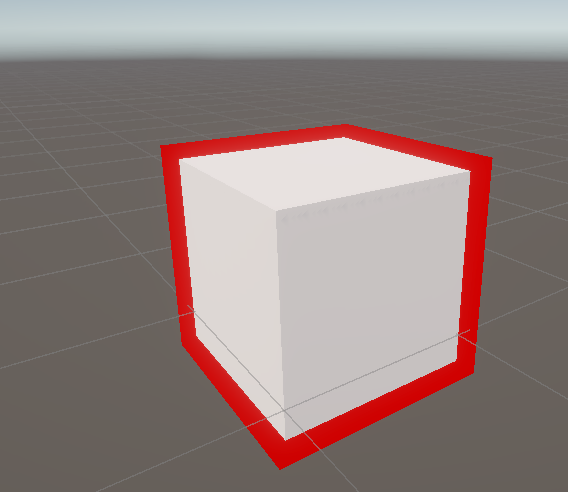
Unity Snow Shader
Snow Effect
The snow shader adds a top snow dusted appearance:
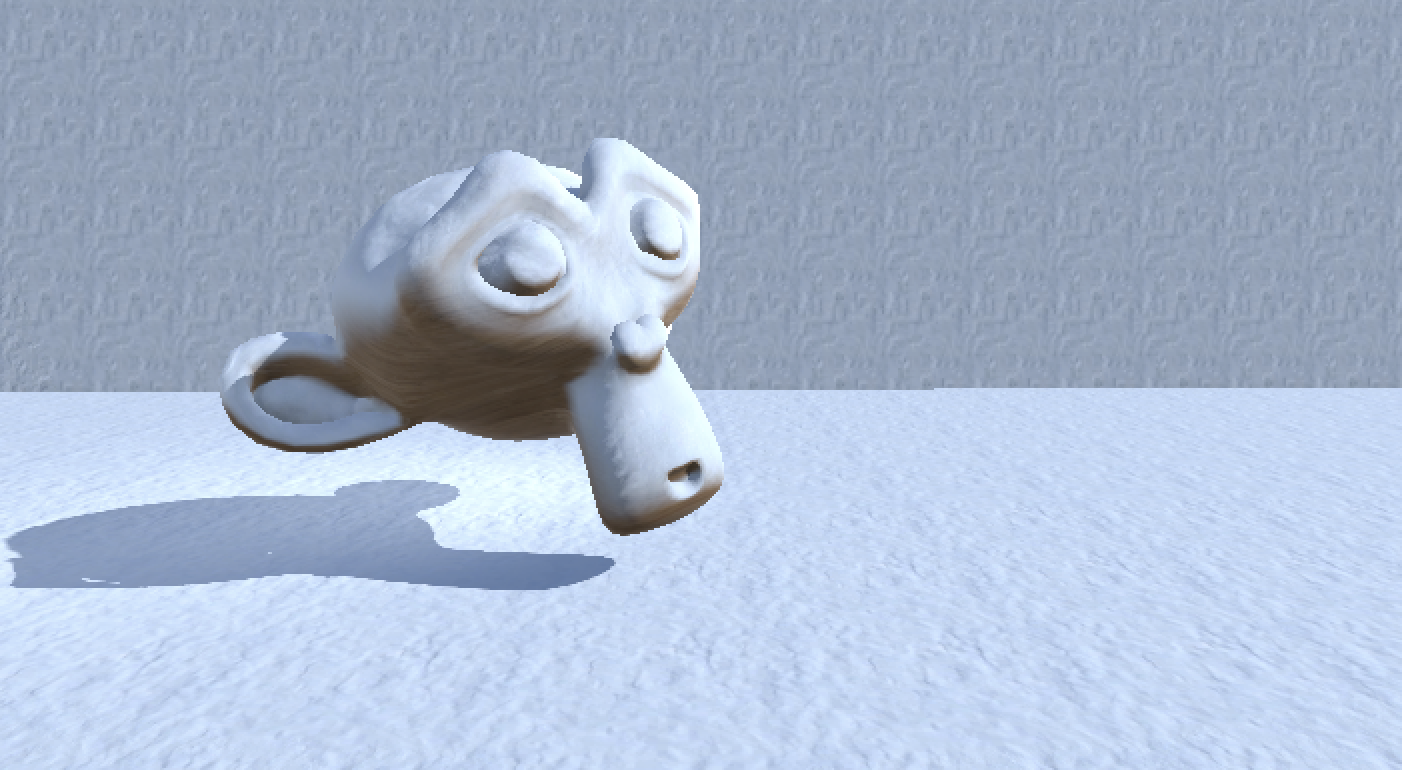
Demonstration of the Different Attributes
Overview of the graph
Parameters
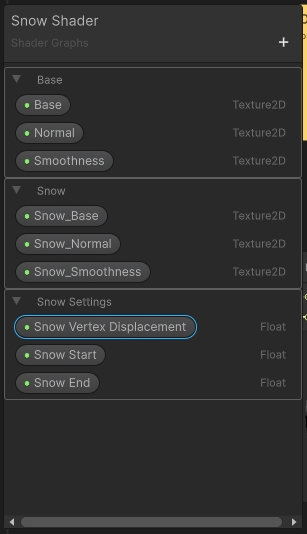
It supports a couple of parameters to drive how much snow will be on the model.
Snow Start: A value from 0..1 of where the snow will start lerping / appearing.
Snow End: A value from 0..1 of where the snow will finish lerping.
Everything else is different textures for the base / snow effect.
Graph Setup
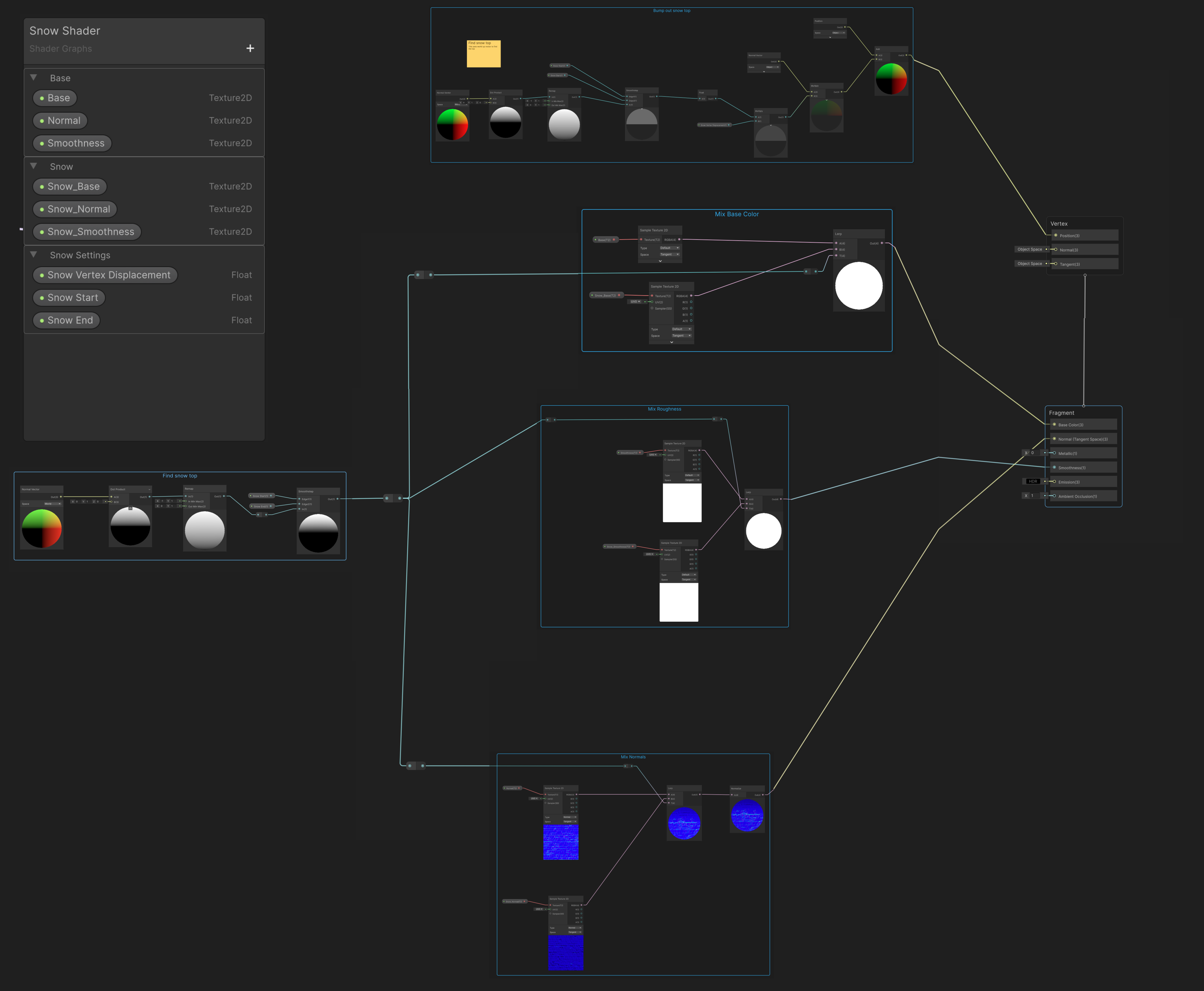
Creating the top mask
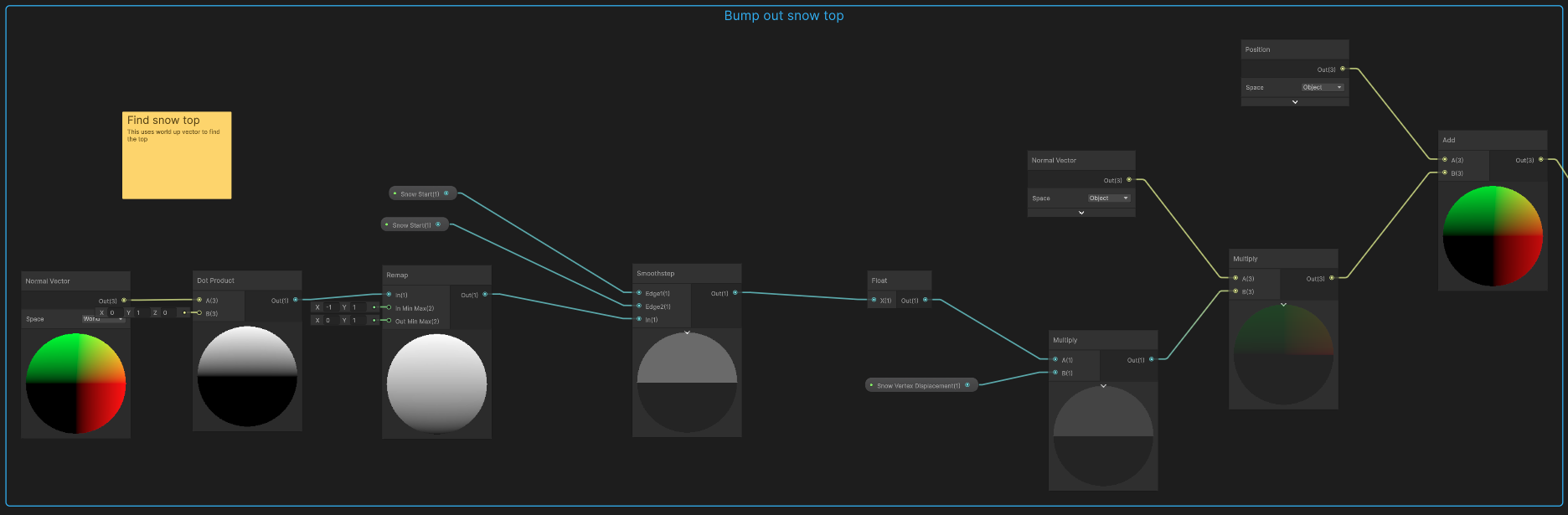
Using a normal vector configured to world with a dot product and Vector3.up works well to get the top mask.
The only issue is that this will of course return [-1, 1] since that is the range of the dot product.
The remap node is a handy node in this case, remapping the output from [-1, 1] to [0, 1]
Right now we don’t have any control over where the snow actually goes. You can see from the remap node that it is a smooth gradient from 0 to 1 from bottom to top. To turn it to a point where we have black where we don’t want snow and white where we do, the smoothstep node is great.
It takes a minimum value and returns 0 for anything under it, and 1 for everything above a max value. It does an interpolation between min and max otherwise.
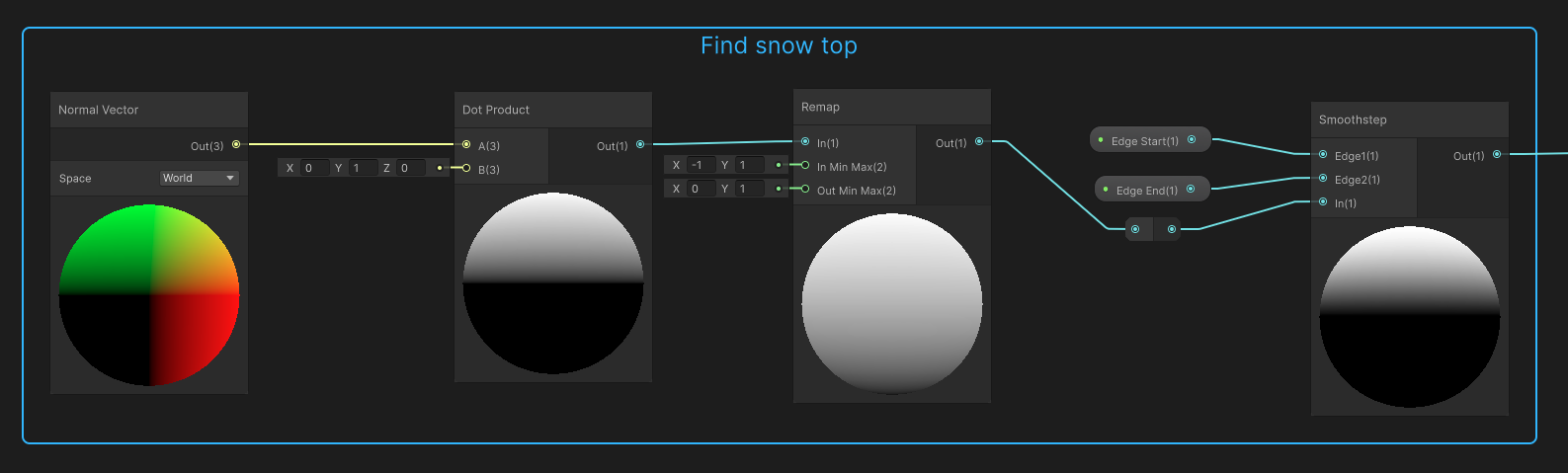
Dot Product
Since we are doing a dot product with the global Vector3.up. The dot product of 2 vectors will be 1 if they are facing the same direction, -1 if they are facing opposite, and 0 if they are 90 degrees from each other.
Note the geometric definition of a dot product is:
\[A \cdot B = \lVert A \rVert \lVert B \rVert \cos(\theta)\]Since we are dealing with normalized vectors, $\lVert A \rVert$ and $\lVert B \rVert$ will both be 1.
\[A \cdot B = \cos(\theta)\]This site has a nice visualization: https://maththebeautiful.com/dot-product/
Mixing a second material
Since the snow will be mixed with two materials, a base and a snow a little bit of effort has to be put into the mixing. Here is the base, roughness and normal mixing.
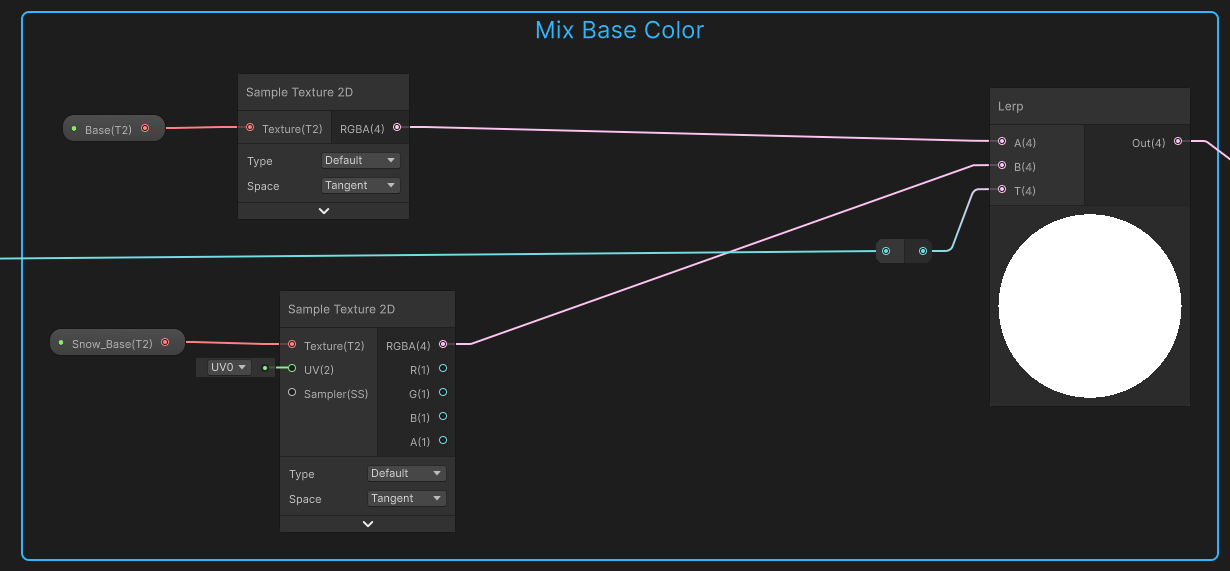
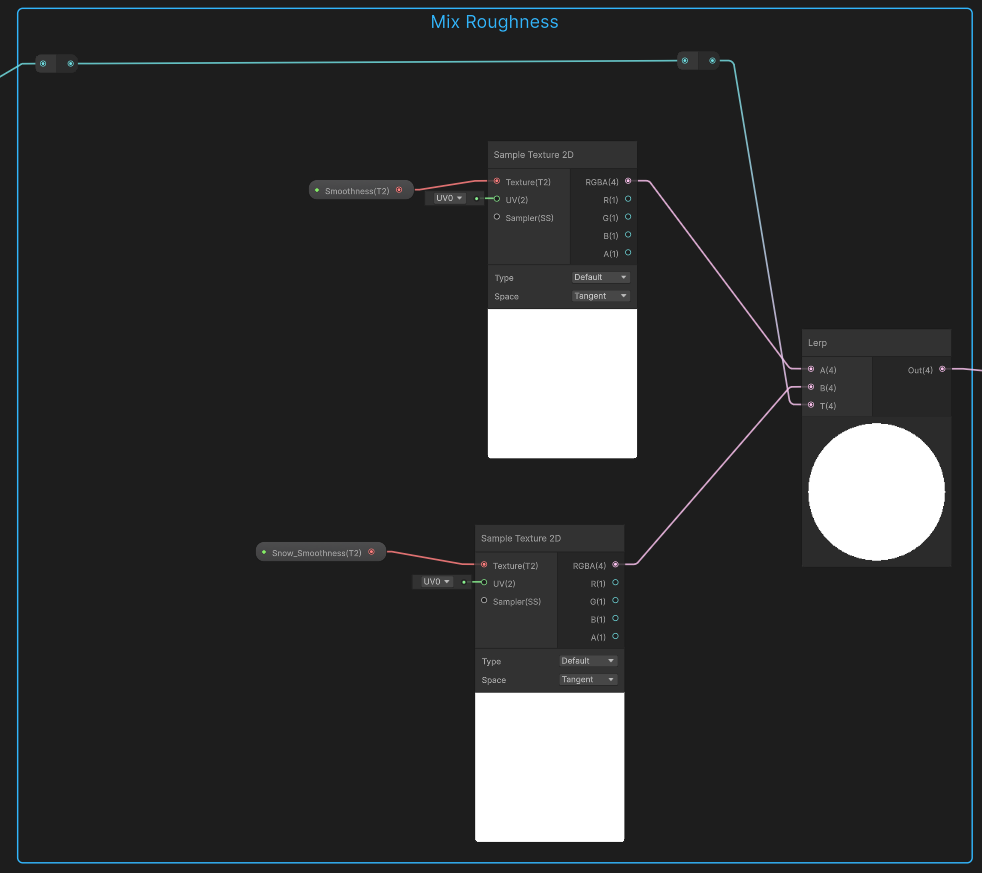
Both color and roughness are the same node setup. I think there is not much to say about them other then the “T” value comes from the smoothstep discussed above.
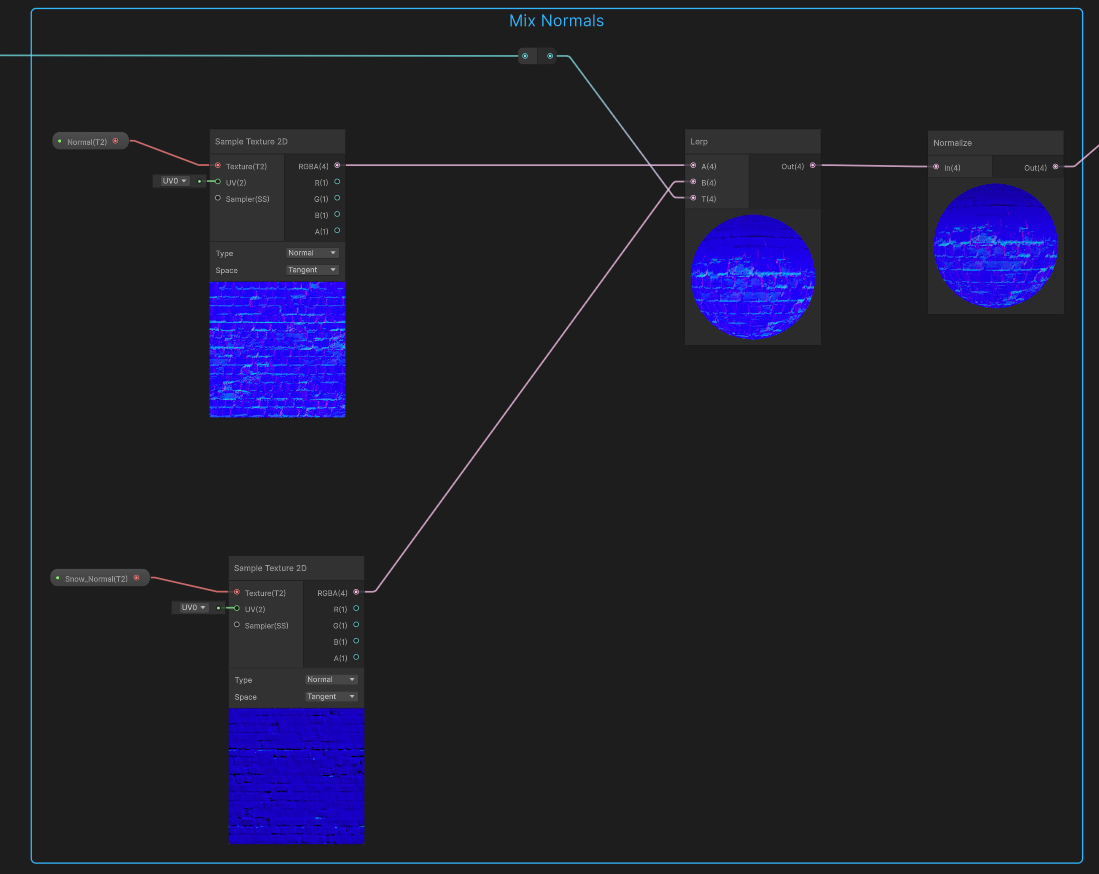
A little bit of care has to be taken when lerping normals. The normals have to be normalized after the lerp.
Vertex movement
This graph uses a little bit of vertex movement to get the snow pushing out ontop effect. Each of the vertexs will be moved along its normal to sort of poof out the snowy parts of the object. There is a requirement to have enough vertex density for the effect to make sense!